First look at Rockmelt. Stream of consciousness analysis.
I was excited this morning when I opened my inbox and found an invitation to start using RockMelt. A new browser that promises to wrangle your Social Media activity in the browser. In contrast to similar functionality, Hootsuite is a webapp, and to some degree it takes care of your social media activity but its independent from the browser. In the case of RockMelt, the application is the browser. BTW, can you have a stream of consciousness analysis? isn’t that an oxymoron?
I tried Flock a while ago and it was good, but it wasn’t good enough and I couldn’t really ditch my primary browser. RockMelt has an opportunity to do that with me… if they deliver what I need.
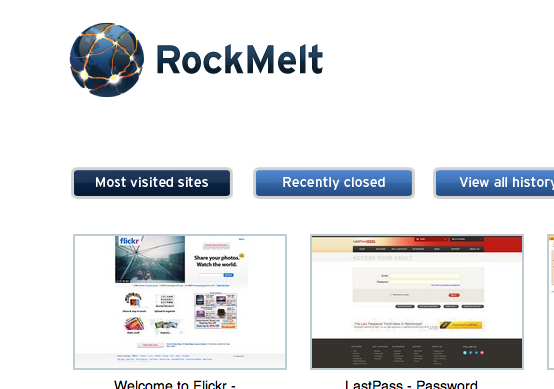
What follows is just my initial thoughts on RockMelt. All in all, its great and offers very interesting ways of working with your information. It surfaces a lot of stuff that you might otherwise miss and it also facilitates quick interactions with both twitter and facebook friends. It definitely needs work and it is obviously because this is still in Beta, it’s actually by invitation only so the team gets 100% slack on the “issues” I found. This would be more suitable to be feedback for the developers, but I rather just post it here and let it be out in the open.
Some of these might be overly critical, some of them are just things I noticed and others are deal breakers for me. I also expect to add more to the list over the next few days.
- First off, the package came in a zip file. If you’re going to package an app for Mac, do it right and use a .dmg package. Gives you more credibility and gives users a more mac-like experience.
- My browser crashed before it even launched the first time. Not a good start. It was okay after a restart.
- Uh, oh, ah… very nice interface to show you “stuff” (see video)
- I wonder if lastpass will be supported. After all, its just a Chrome base right?
- Seems like Facebook integration is further along than Twitter integration. Facebook clicks tend to open “in line” vs Twitter clicks seem to require you open up the proper Twitter page/profile.
- Woohoo, it works. Sorta. Actually, never mind. The extension seems to have installed and it showed up on the sidebar, but its not actually working. The extension’s icon gets added as another “site and app” icon on the right, but it doesn’t actually work as intended. Bummer. This is a deal breaker for me, Security always trumps functionality and this is one of those times.
- If I sign in with Twitter in RockMelt, I should be signed onto Twitter when I go to it. Why do I have to login again… especially when there’s no multiple Twitter account support.
- Turns out that LastPass kinda works, when I go to a site that’s recognized, the yellow bar from LastPass comes down allowing me to auto-login or auto-fill… however I can’t find a way to manually call that for those websites that don’t automatically call up the yellow bar.
- YUCK! RockMelt opted to go with a split entry format for URLs and Searches. I rather have the single URL/search box like Chrome has.
- I like my friends on the left, however the list is not scrollable and no apparent way to extend it. Right now it shows 30 of my friends… how would I see the other 200+? - perhaps a setting or preference.
- I love the “tear off” window option in most of the “modules” or app windows.
- Oh bummer… no support for multiple twitter accounts. Deal breaker.
- Oh bummer, no support for Flickr. Deal Breaker.
- The search results show up on a sidebar. Nice… except this particular “module” or app window doesn’t have the option to “break off”. Really? WTF. Its already weird enough to bring the results up in that mode, at least let us break it off like all the other windows. This would be particularly useful when doing multiple related searches and you want to go back and forth between them.
- Good! Ctrl+shift+t works, so I do’nt accidentally close a tab and loose it.
- Extensions’ settings are accessible via the menu items like in Chrome, but not all settings are respected. For example, “Chrome it later” doesn’t pop its dialogue box before acting on the item I clicked on. It is supposed to save a website “to read it later” and prompt me for some meta-data in the process, like tags, description, etc. Instead, it just gets saved without the opportunity for any metadata.
- Similar behaviors are showing up with different extensions… and I HATE it that they show up like my “websites and apps” Sorry devs, this is dumb and needs more thought.
- The same way that “chat” appears when you click on a facebook person, I think there should be a “photos” and “video” section that shows up as well where you can see the items without going to their facebook profile page.
That’s it for now, I have to get back to work and stuff. I think this has a lot of potential and it would probably work for most people that have a single twitter and single facebook to manage. Definitely not ready for power users and all in all it needs some serious polish. I have a video showing how I put together the list above, I want to add a soundtrack to the video so you know what I’m doing, but for now its just video with no sound or narration ( link - http://www.youtube.com/watch?v=TbzSL1pGpsc - warning! its boring).