I often encounter the annoying warning shown below.
WARNING: REMOTE HOST IDENTIFICATION HAS CHANGED!
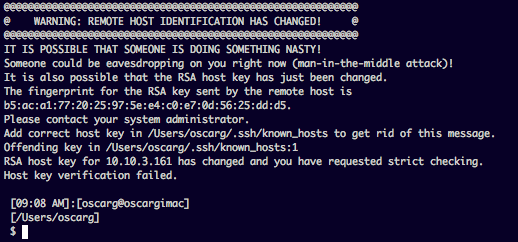
It most often happens when the machine which I’m trying to connect has been re-installed. There are other reasons why you might get this but the root cause of it is exactly what the warning says. Watch out! someone could be doing something NASTY! 🙂
More often than not, this is nothing more than an annoyance because I know that the system hasn’t been compromised and there is no man in the middle attack. To fix this problem, usually you have two options: you can disable strict checking of the known_hosts file, and/or you could add an exception for the IP address(es) that you want.
The best way I found to get rid of this problem, without compromising the actual security check that this system provides is to actually use the ssk-keygen utility and alias it like this:
alias ch='ssh-keygen -R'
ch stands for “clean hosts” so its easy to remember. Now, next time I see the warning, instead of manually editing the known_hosts file, or adding insecure workarounds, I just run my alias and the IP Address in question. This removes the IP from the known_hosts file and lets you continue.